
Searching for heritage collection information on the Internet – some tips
by Per Cullhed, Uppsala University Library
Share this article
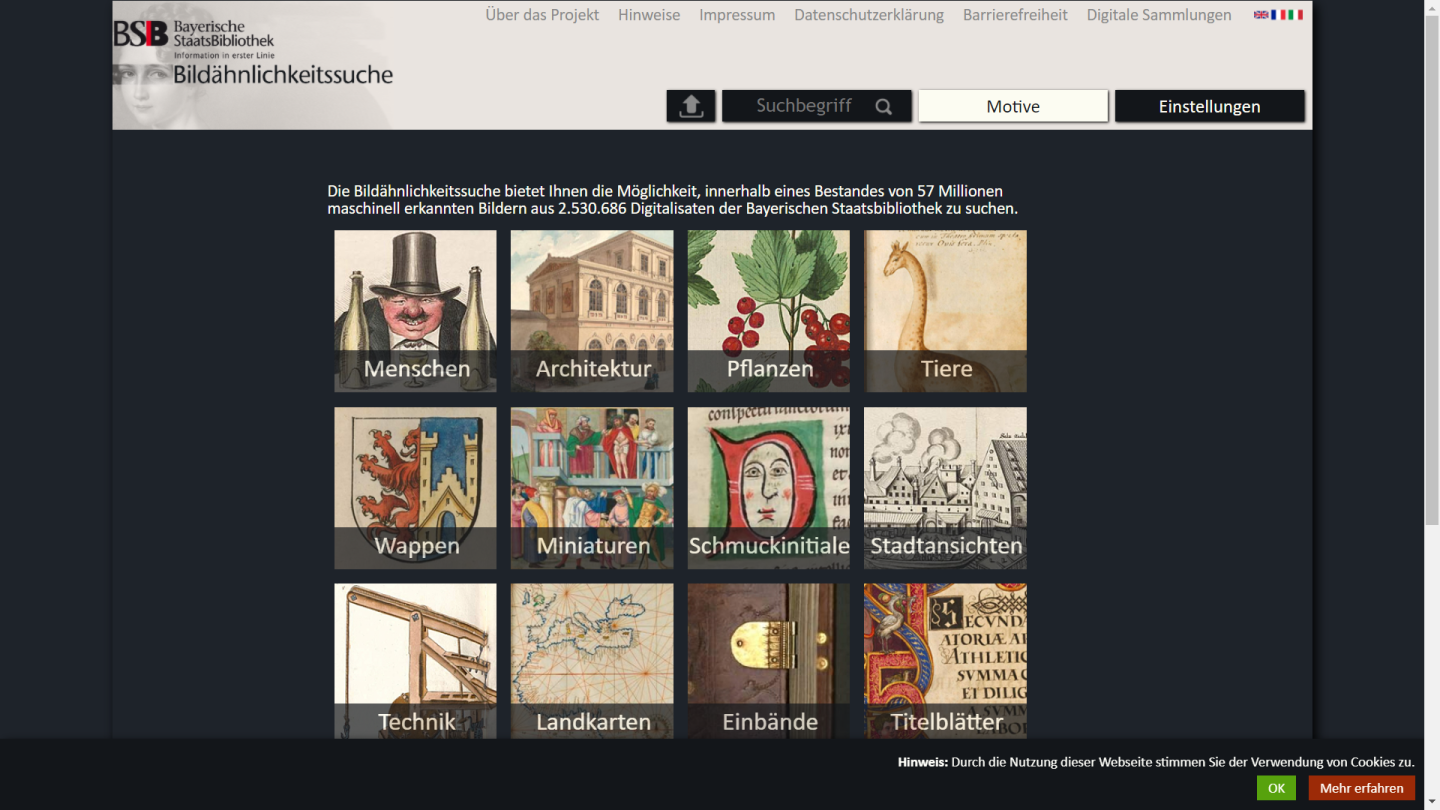
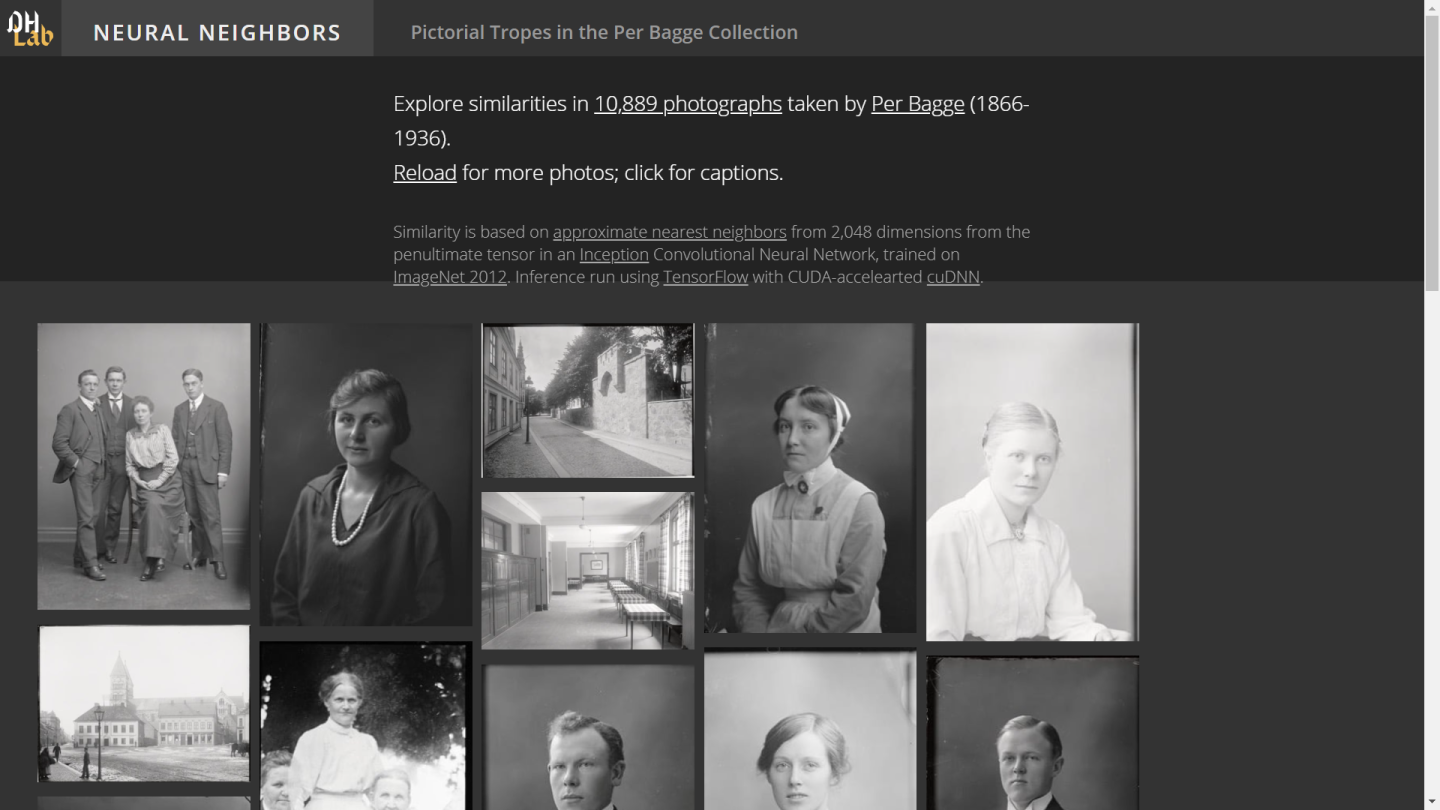
When searching for useful heritage collections information on the Internet, a reverse image search is one option. This means that you are using an image instead of search terms to try to find what you are looking for. If you are lucky, this option could give you some useful results but more often you get a mishmash of images that may have some visual similarity to what you are searching for but often are useless as the search results come from too many sites all over the world. Dedicated databases or projects, like the https://bildsuche.digitale-sammlungen.de/ or http://dh.library.yale.edu/projects/bagge/ can give more accurate results.
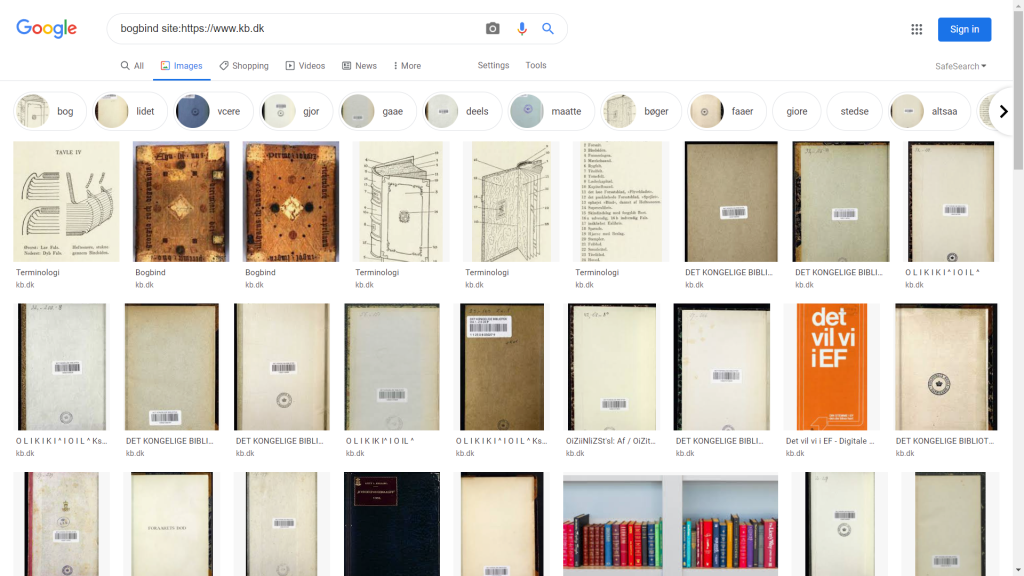
However, there is a technique for narrowing down your internet searches to specific sites that may give you more rewarding results. It is called site search and is very easy to perform. Simply write your search word in Google, insert one space and then write site and colon (site:) directly followed by the web address of the site you want to search. One example is >bogbind site:https://www.kb.dk< which gives you hits on bookbindings from the Royal Library in Copenhagen website. One should be aware that the returned results may not be comprehensive. They are the outcome of Google’s indexing of that site but it is quite a pleasing alternative to other searches as one can also hit the images button in the search results and immediately browse images connected to the search.
To do the same but this time with a reverse image search, go to https://images.google.com/ and upload an image you want to use for a search (click the camera symbol and locate your image). The results will give you a search box at top of the page with the miniature image first and then a textual suggestion for the image content. Delete this suggestion from the search box (but leave the miniature image intact) and enter site: and the web-address you want to search instead, and then you get image results from that site, based on your uploaded image. The results may be seen as a bit crude but they seem to be sensitive to colour and patterns. This means that it can be rewarding to search for, for example, marbled papers and easily recognizable patterns such as a crucifix or a house facade.
Try it out by downloading the image below, upload it in to https://images.google.com/ delete the text, enter site:www.alvin-portal.org and press enter.

Related articles
by Markéta Kučerová and Vojtěch Šícha, Library of the Czech Academy of Sciences
November 9, 2026
by R. Gasteiger, M. Belka, S. Rehberg, S. Schütz, Hanover University of Applied Sciences and Arts
November 9, 2026