
To search the ISTC, you can still enter any number of keywords into the search box. This will search all indexes. To improve the accuracy of your search results, you can enter the terms below into the single search box and combine as many as you like with Boolean operators (AND, OR, NOT). When combining fields, each field name has to be followed by a colon and the search term without a space, as in the examples below.
Search examples:
- author:schedel AND title:liber AND date:1493
This will find both the Latin and the German edition of the Liber chronicarum of 1493. - author:aesopus AND language:ita NOT place:rome
This will find the works by Aesop printed in Italian but not printed in Rome. - printer:caxton AND place:westminster NOT location:oxford
This will find works printed by Caxton in Westminster of which no copies are held in libraries in Oxford. - printer:”de worde” OR printer:caxton
This will find books printed by Wynkyn de Worde and books printed by William Caxton. - location_count:3
This will identify the titles which survive in three institutions. - location_count:>3
This will identify the titles which survive in more than three institutions. - place:venice NOT location:it
This will find books printed in Venice which are not held in Italian libraries. - title:(ethica OR poetica)
This will find all books which either have the word ‘ethica’ or the word ‘poetica’ in the title.
You can also search for date ranges, for example: date:[1490 TO 1495] will find all books printed between 1490 and 1495. date:[1490 TO *] will find anything printed from 1490 onwards.
Search results
Each set of results is presented in a numbered list, which can be sorted alphabetically or chronologically, and can be displayed in either a short or detailed format by clicking the desired option (the short list is displayed by default).
To access the full record, click on its heading or on “Full Record” at the bottom of each entry in the list.
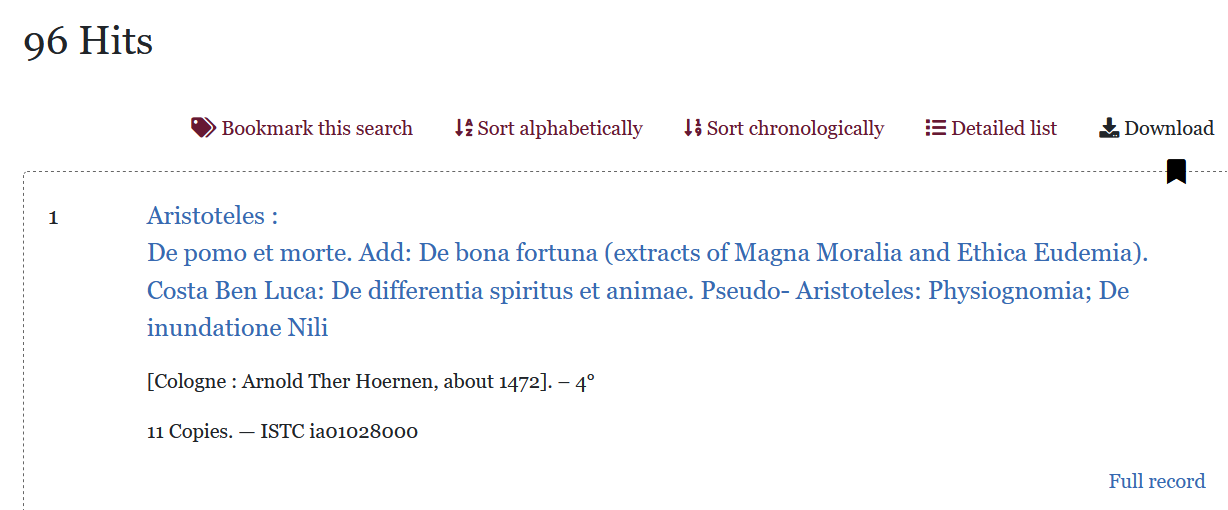
To return from the full record to the list of results, please click “Search” in the menu bar or use your browser’s back button.